November 28th, 2025
New
Support for Styled Content in Documents
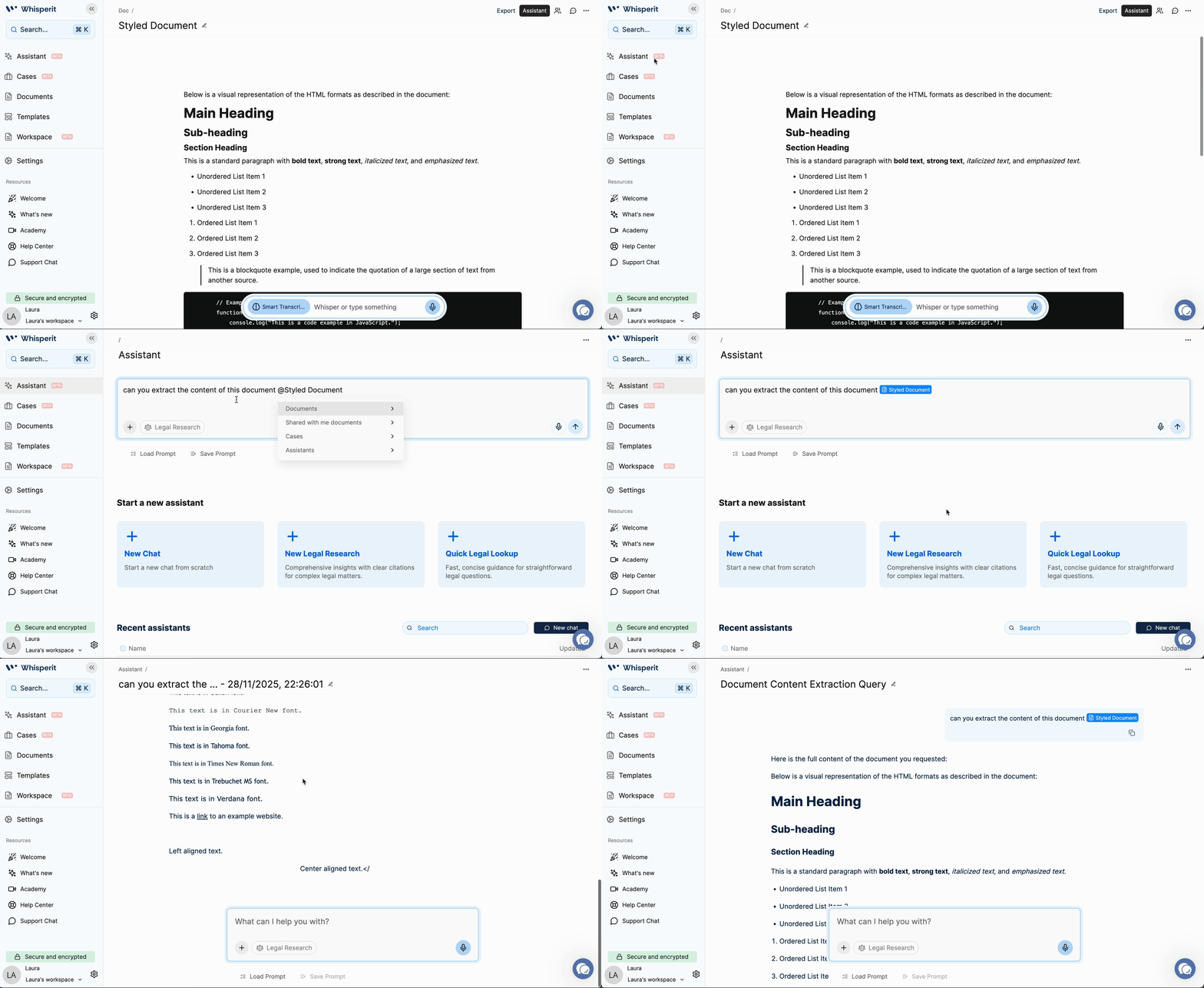
The Whisperit AI Assistant now seamlessly preserves and applies complex document styling, guaranteeing perfect alignment and presentation in every draft and ensuring your generated content meets the highest professional standards.
This major enhancement ensures content drafted by the assistant integrates perfectly with your internal templates and professional formatting, allowing you to focus on the legal substance with confidence in the document's presentation.
Key Benefits
Maintained Formatting: The assistant now accurately preserves advanced styling from your existing documents, including crucial elements like text alignment and justification (justified text).
Reliable Content: Any document content created or modified by the assistant will now remain in your file upon refreshing the page, providing a more stable and reliable experience for drafting and reviewing critical legal texts.
Assistant Document Styling
Here is a clear use case how the enhanced document styling works:
You Ask the Assistant to Write or Edit: Prompt the Whisperit AI Assistant to generate a new document section or modify an existing part of your legal text with formated styles.
Advanced Styling is Applied: The Assistant automatically applies complex formatting that standard text editors often miss. This specifically includes text alignment (e.g., left, right, center) and justification (making text line up evenly on both margins).
Template Formatting is Preserved: If you are building on a pre-existing internal document or template with specific styles, the Assistant will seamlessly adopt and maintain that complex formatting, integrating its new content perfectly with your professional standards.
Content Becomes Permanent: Unlike before, any content created or modified by the Assistant is now reliable and persistent. The styled document content will remain in your file and be fully available even after you refresh the page.
In short, this change ensures your AI-generated legal drafts are accurate, use professional formatting like justified text, and the content stays saved in your document without disappearing.